
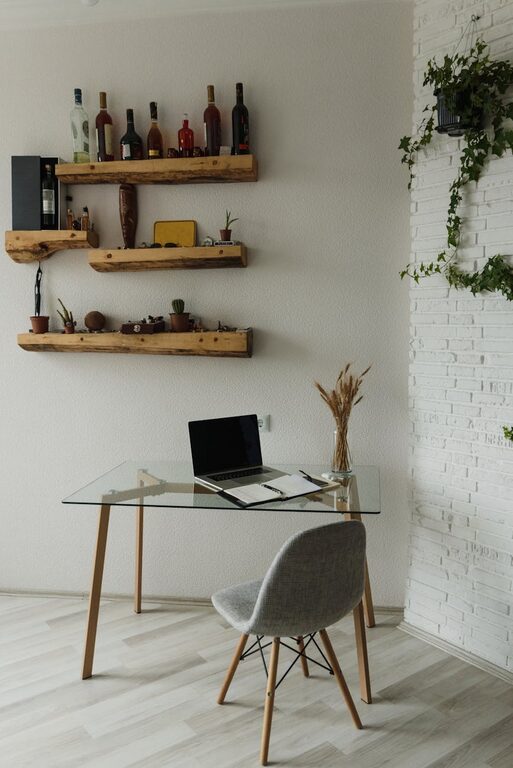
Creating a cozy and inviting home workspace is essential for anyone working remotely or spending long hours at a desk. A well-designed space not only enhances comfort but also promotes focus and productivity. Whether you have a dedicated room or a small corner, this guide provides actionable tips to help you craft a home office that feels warm, inspiring, and efficient.
Choose the Right Location
Selecting the right spot for your workspace is the first step. Ideally, pick a quiet area with minimal distractions and enough natural light.
– Near a Window: Natural light can improve mood and reduce eye strain. Position your desk close to a window if possible.
– Away from Noise: Avoid high-traffic areas to create a peaceful atmosphere.
– Defined Space: Even if it’s just a small corner, having a defined workspace helps establish mental boundaries between work and rest.
Invest in Comfortable Furniture
The furniture you choose impacts how long and how well you can work.
– Ergonomic Chair: A chair that supports good posture reduces discomfort and fatigue.
– Adjustable Desk: Consider a desk with adjustable height to switch between sitting and standing.
– Sufficient Desk Space: Ensure there’s enough room for your computer, writing materials, and any other tools you need.
Personalize Your Workspace
Adding personal touches makes your workspace feel inviting and unique.
– Decorate with Plants: Indoor plants bring life and freshness to your desk area.
– Use Artwork or Photos: Surround yourself with images or art that inspire you.
– Decorative Storage: Stylish organizers or containers can keep your space tidy and visually appealing.
Optimize Lighting
Proper lighting is key to preventing headaches and increasing productivity.
– Layered Lighting: Combine natural light with task lighting, like a desk lamp.
– Warm Light Bulbs: Soft, warm light creates a cozy atmosphere compared to harsh, bright light.
– Positioning Light: Place lamps so they illuminate your work without causing glare on screens.
Maintain Organization and Declutter
A clutter-free workspace helps maintain focus and reduces stress.
– Daily Tidying: Spend a few minutes at the end of each day clearing your desk.
– Use Organizers: Drawer dividers, pen holders, and filing trays help keep essentials in place.
– Cable Management: Use clips or sleeves to keep cords neat and avoid tangles.
Incorporate Comfortable Textiles
Adding soft fabrics can increase the cozy feel.
– Cushions and Throws: A comfortable cushion on your chair or a small throw blanket can make your space more inviting.
– Rugs: A rug underfoot adds warmth and can visually define your workspace.
Control the Temperature and Air Quality
A comfortable environment supports sustained work.
– Proper Ventilation: Fresh air keeps the room feeling lively.
– Room Temperature: Adjust heating or cooling to a comfortable level.
– Air Purifiers: Consider an air purifier if you spend long periods indoors.
Establish a Routine and Boundaries
Creating a dedicated space is one part of working well at home; routines and boundaries complete the picture.
– Set Work Hours: Define when your workday starts and ends.
– Use Visual Cues: Closing a door or putting away work materials can signal the transition from work to personal time.
– Break Areas: If possible, create a separate spot to take breaks and refresh.
—
By following these tips, your home workspace will become not only a functional area but also a warm and inviting retreat. A cozy setup encourages regular use and helps maintain focus, making work-from-home life more enjoyable and productive. Remember, the key is balancing practicality with personal touches that make you feel comfortable every day.